

Summer 2025 Feature Roundup
We’ve introduced a range of new features and enhancements across both our Management and Booking Apps, designed to help organisations manage their day-to-day activities more efficiently, support staff with quicker access to important information and create a smoother experience for the families using their services.
Enhanced SEND Features
We’ve rolled out significant updates to improve how SEND (Special Educational Needs and Disabilities) information is managed and accessed across the platform. These enhancements have been introduced in response to updated Ofsted requirements and represent one of the most important updates in this release.
What’s New?
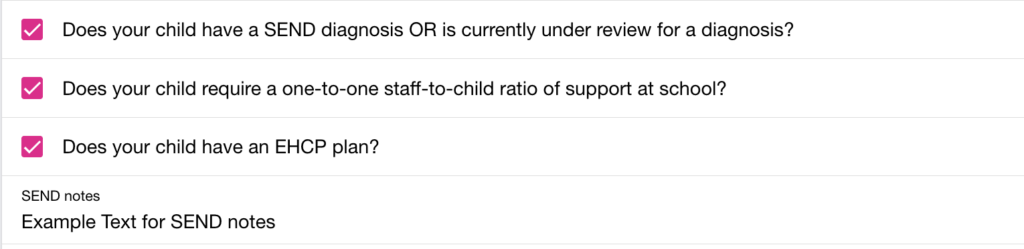
- Dedicated SEND Section: Parents can now add and maintain SEND information directly within their account, including diagnoses, EHCP details, 1:1 support requirements and additional notes.
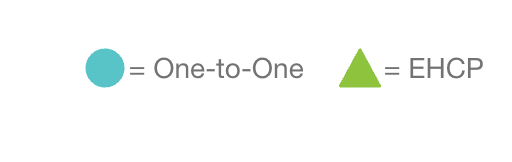
- Improved Visibility for Staff: SEND indicators now appear throughout the Management App, helping teams quickly identify support requirements.
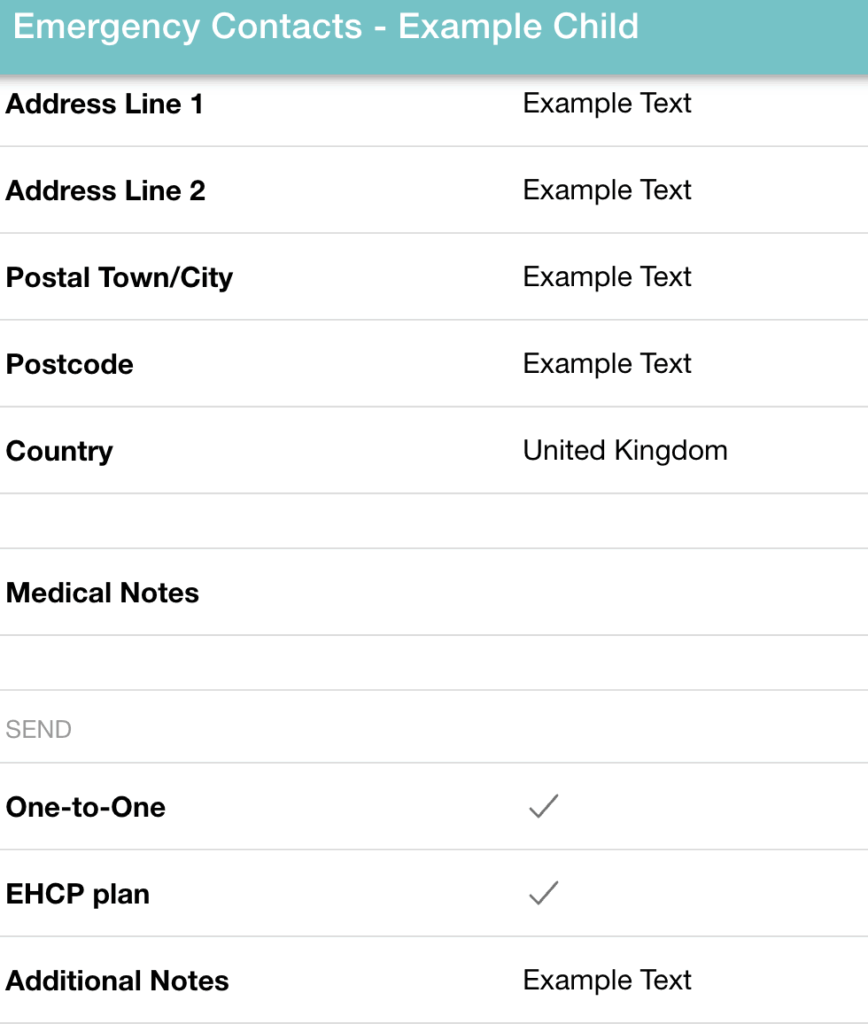
- Emergency Contact Integration: Relevant SEND information is now accessible alongside emergency contact details when needed.
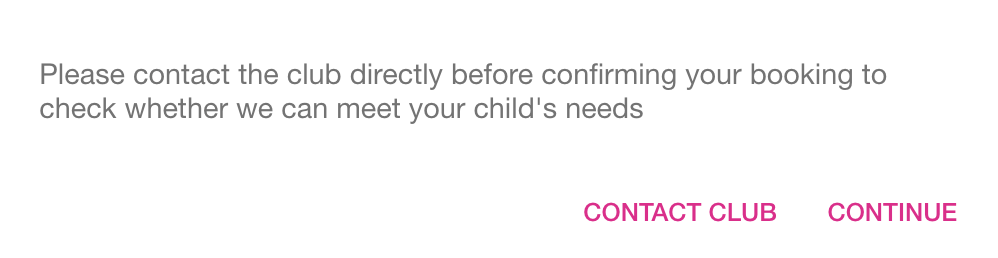
- Automated Notifications: Clubs receive immediate alerts when bookings are made that include SEND requirements, helping teams prepare appropriate support in advance.
These improvements help ensure important information is easier to share, easier to find and easier to act upon.
Other Management App Updates
Customise Timetables with Location-Specific Logos
Head Office teams can now personalise timetables on a location-by-location basis by assigning unique logos to individual sites.
This allows organisations operating multiple venues to strengthen local branding while maintaining central control through the Management App.
How to Add a Logo to a Timetable:
- Log into the Management App.
- Select the desired location from the dropdown list.
- Navigate to the Timetables Section.
- Select the relevant age group (e.g., Before/After School Club)
- Click the ‘Edit’ button next to the logo icon (it will say ‘Add Logo’ if no logo is applied).
- A modal window will open. Choose your desired logo from the dropdown list.
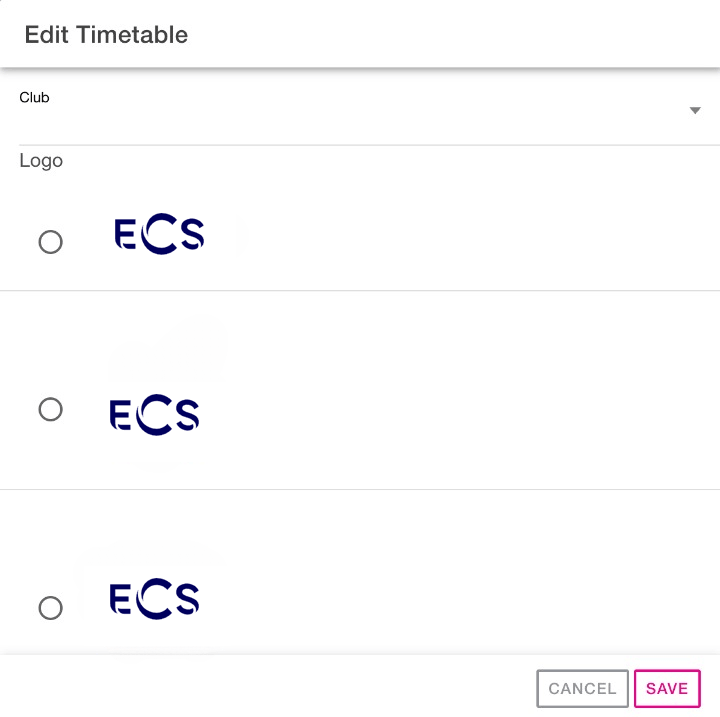
- Click Save to apply the logo to the timetable.
Logos will appear on the timetable within both the Management App and the Booking App. If a logo is added to the AM timetable, it displays on the left; if added to PM, it displays on the right. On mobile, logos will stack vertically unless both AM and PM logos are present, in which case they appear side-by-side.
Only Head Office users have permission to assign or change these logos. Adding a logo is optional and will not affect locations or timetables that do not use this feature.
Quick Access to Emergency Contacts from Signatures
Efficiency in emergencies is paramount. Users can now quickly view a child’s Emergency Contact information directly from the Signatures modal within the Management app. This update eliminates the need to identify which activity the child was signed into to access their details, making critical information faster to find when required.
To Access:
- Go to Registers, then select the specific activity.
- A page icon will appear on the right-hand side of the register row.

- Click the icon to open a modal displaying all Emergency Contact information for that child.
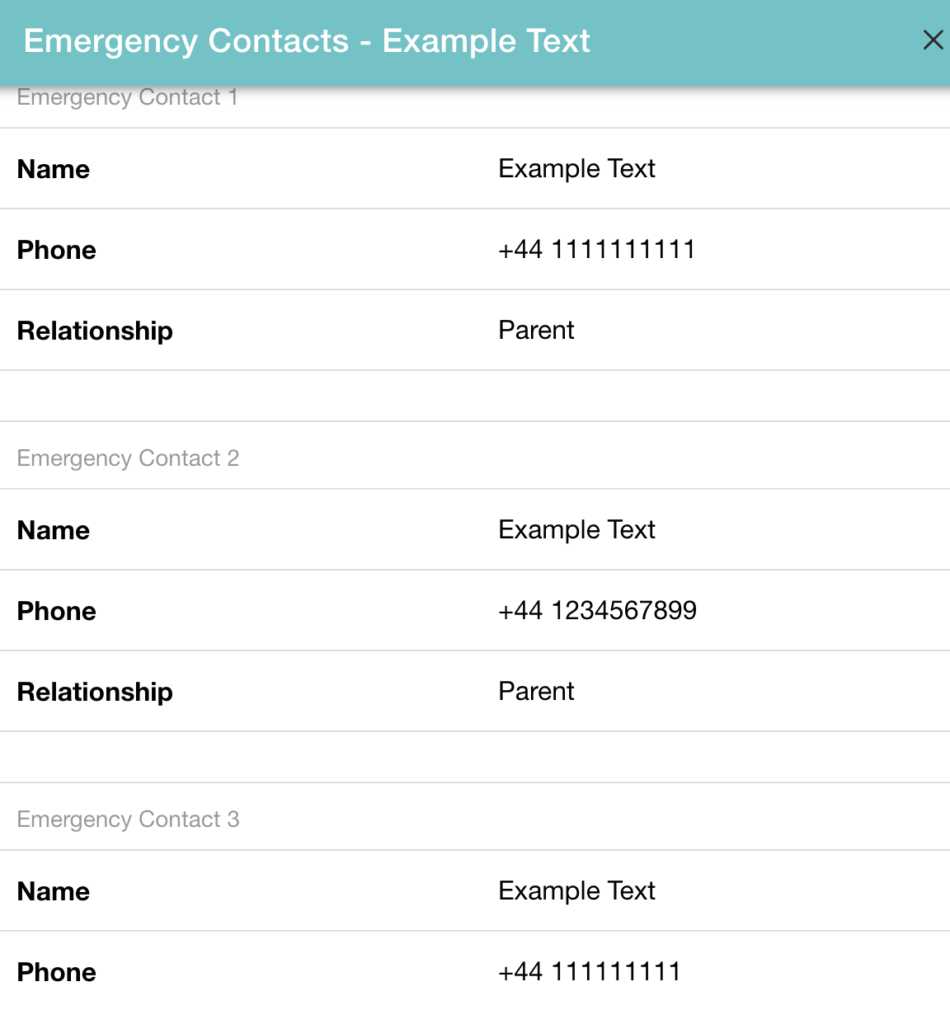
This change makes emergency details faster to find, improving efficiency if required.
Latest Posts:
- WP2Shell: the WordPress vulnerability that hit sites worldwide, and how we respondedIn July 2026, a critical vulnerability in WordPress core itself was disclosed and almost immediately exploited across the internet. It’s been nicknamed WP2Shell.
- Introducing Draft & Scheduled TimetablingBuilding a timetable takes time, and until now, keeping track of what’s live, what’s still in progress, and what’s safe to change wasn’t always easy. We’ve rolled out a set of updates to the Schedules section of the Management App to make the whole process clearer and safer.
- AI Bot Traffic is here to stay5 reasons why higher traffic isn’t always good news for your WordPress site
Booking Experience Improvements
These updates represent the first step in a wider programme of Booking App enhancements, with further improvements and larger updates planned for future releases.
Smarter Timetable Display for Parents
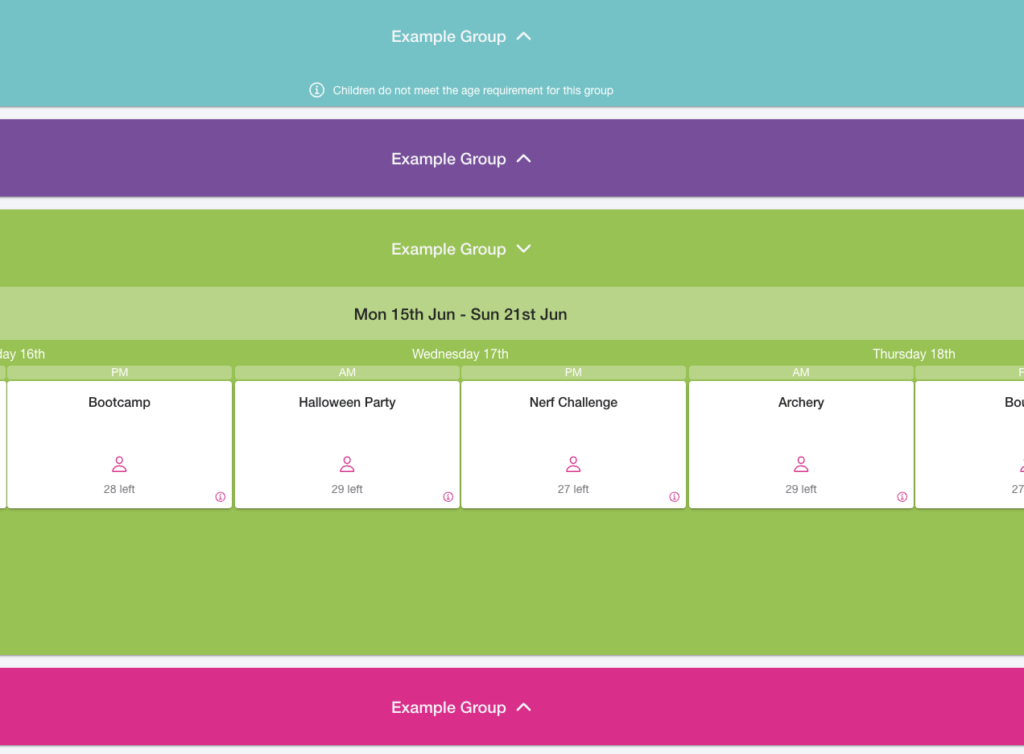
- To make booking quicker and easier, parents will now see timetables that are relevant to their child’s age group by default.
- Timetables aimed at other age groups will be minimised to reduce clutter while remaining available if parents wish to view them.
- This creates a cleaner booking experience and helps families find suitable sessions more quickly.
- Where a timetable is not appropriate for a child, a clear message will explain why that session is unavailable.
Why These Updates Matter
These enhancements have been developed in response to feedback from organisations managing growing operations across multiple sites and teams, as well as ongoing developments in Ofsted requirements and best practice guidance.
By improving visibility, reducing administration and simplifying the booking journey, we’re helping providers:
- Manage multiple locations more effectively
- Improve communication between Head Office and local teams
- Reduce booking and register errors
- Better support children with additional needs
- Deliver a smoother experience for parents
Interested in Learning More?
Whether you’re looking to simplify bookings, improve safeguarding processes or manage multiple locations more effectively, we’d love to show you how our platform can help.